After eight years of sailing Oroboro across three oceans, I've fixed a lot of things. Engines, watermakers, windlasses, autopilots, plumbing, electronics — you name it, it has probably broken on us at least once.
For years, my maintenance "system" was a combination of a physical notebook, a note on my phone, a few WhatsApp messages to myself, and whatever I could remember. It worked, mostly. Until it didn't.
The moment that finally pushed me over the edge was in the Cyclades, trying to figure out when we last replaced the impeller on the port engine. I knew it had been done. I was pretty sure it was in Malta. Or was it Sicily? It was definitely before the Aegean season. But when exactly? How many hours had it run since? I had no idea. I ended up replacing it anyway, just to be safe, but the nagging feeling stayed with me.
The Problem With Boat Maintenance
A bluewater cruiser is one of the most complex things you can own. Oroboro has two diesel engines, a watermaker, solar panels, autopilot, VHF radios, AIS transponder, a furling genoa, a parasailor, an asymmetrical spinnaker, safety equipment with expiry dates, and on and on. Each system needs regular maintenance on its own schedule.
Most cruisers manage this with spreadsheets (if they're organized) or notebooks (if they're not). The problem with spreadsheets is that they live on one device and you always forget to update them. The problem with notebooks is that they get wet, lost, or filled up.
What I really wanted was something that:
- Lived on my phone (always with me)
- Synced to the cloud
- Kept my data private and encrypted
- Was simple enough that I'd actually use it
I couldn't find anything that checked all those boxes. So I built it.
What I Built
The Oroboro Boat Manager is a web app that runs in your browser and can be installed on your phone's home screen like a native app. It's built around a simple idea: every task on the boat gets logged, every completion gets noted, and the full history is always there when you need it.
You can add tasks for any system — "Replace impeller, port engine, every 200 hours" — and then log completions with dates, notes, and photos. The app tracks what's overdue, what's coming up, and what's been done. It also lets you store photos, which turned out to be incredibly useful for documents.
The data is encrypted on your device using AES-GCM before it's ever sent to the cloud. Your PIN never leaves your phone. I can't read your data, and neither can anyone else. It syncs across devices so Yuka and I both have the same view of what's been done.
Maintenance
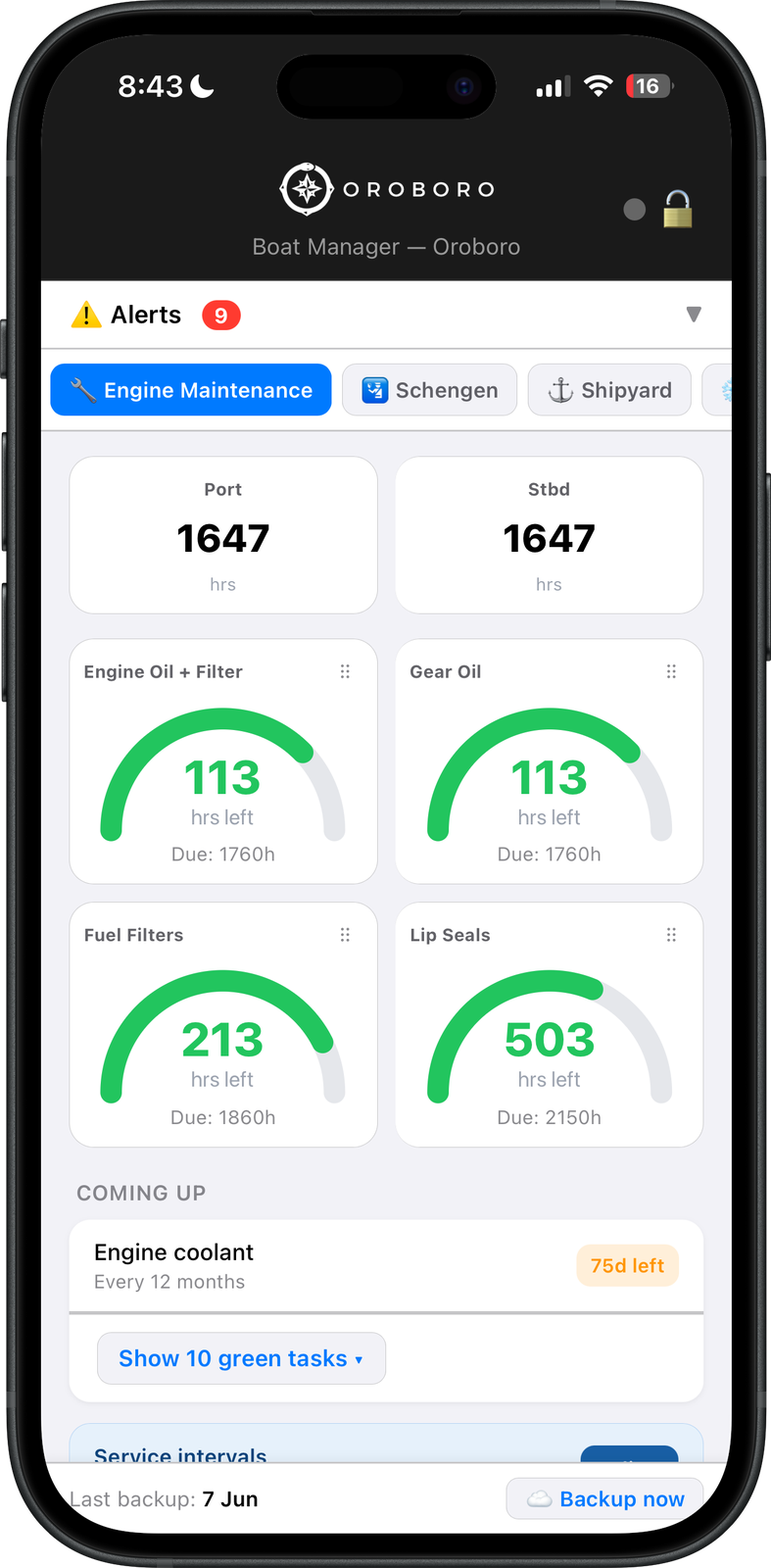
Each system on the boat gets its own service interval — engine oil, gear oil, fuel filters, lip seals — and the app tracks hours run since the last service. The gauges turn orange as an interval approaches and red when overdue. Every completion is logged with a date and any notes, and the clock resets. An Alerts badge at the top surfaces anything overdue across all modules, so nothing slips through unnoticed.
Provisioning
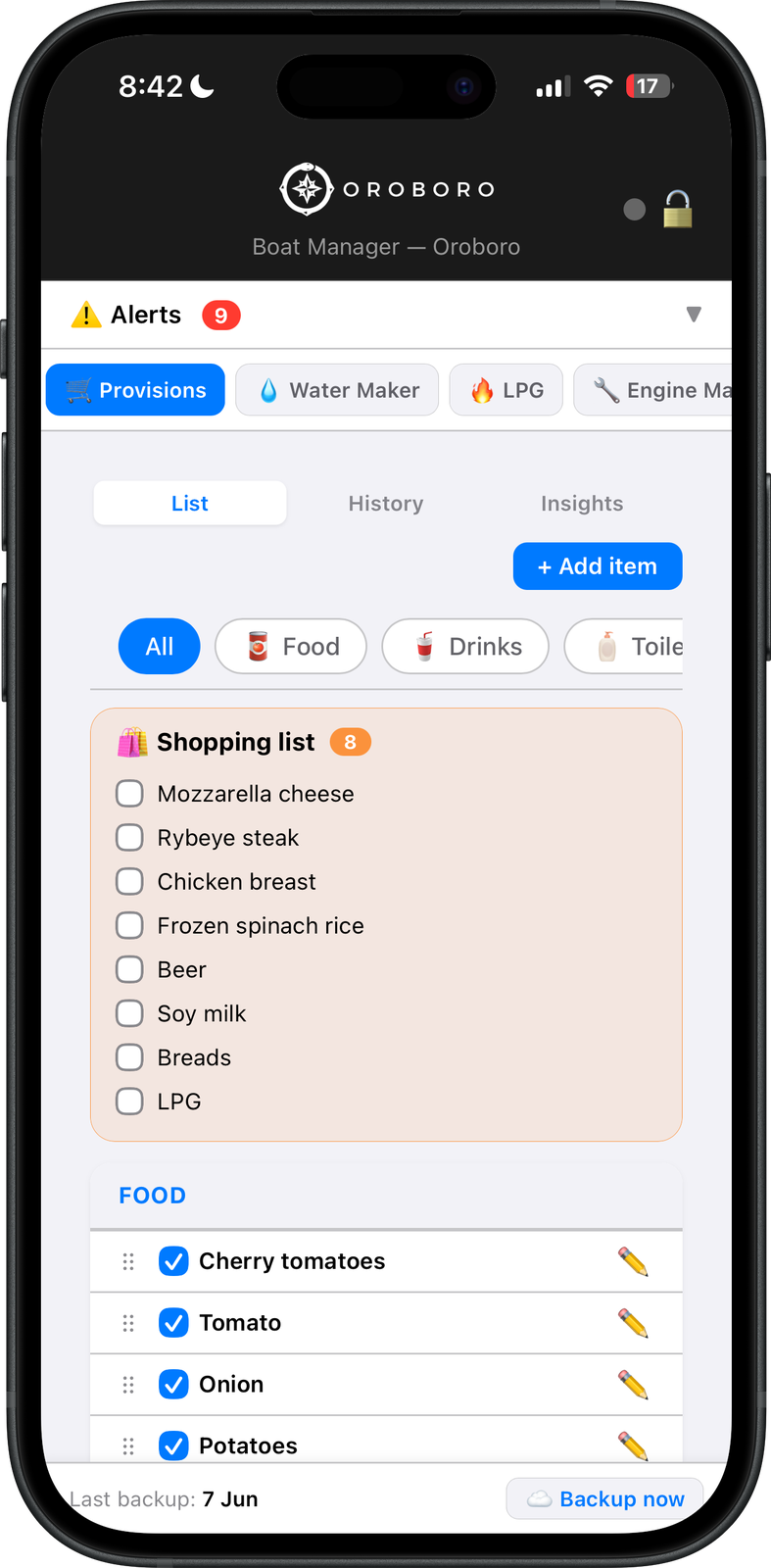
The Provisions module keeps a permanent stock list organized by category — food, drinks, toiletries — with a Shopping list tab that collects everything flagged as needing a restock. A History tab records past provisioning trips with totals, and an Insights tab shows monthly spend and price comparisons across stores. Yuka and I both use this module; it syncs across our phones so we're always looking at the same list.
LPG
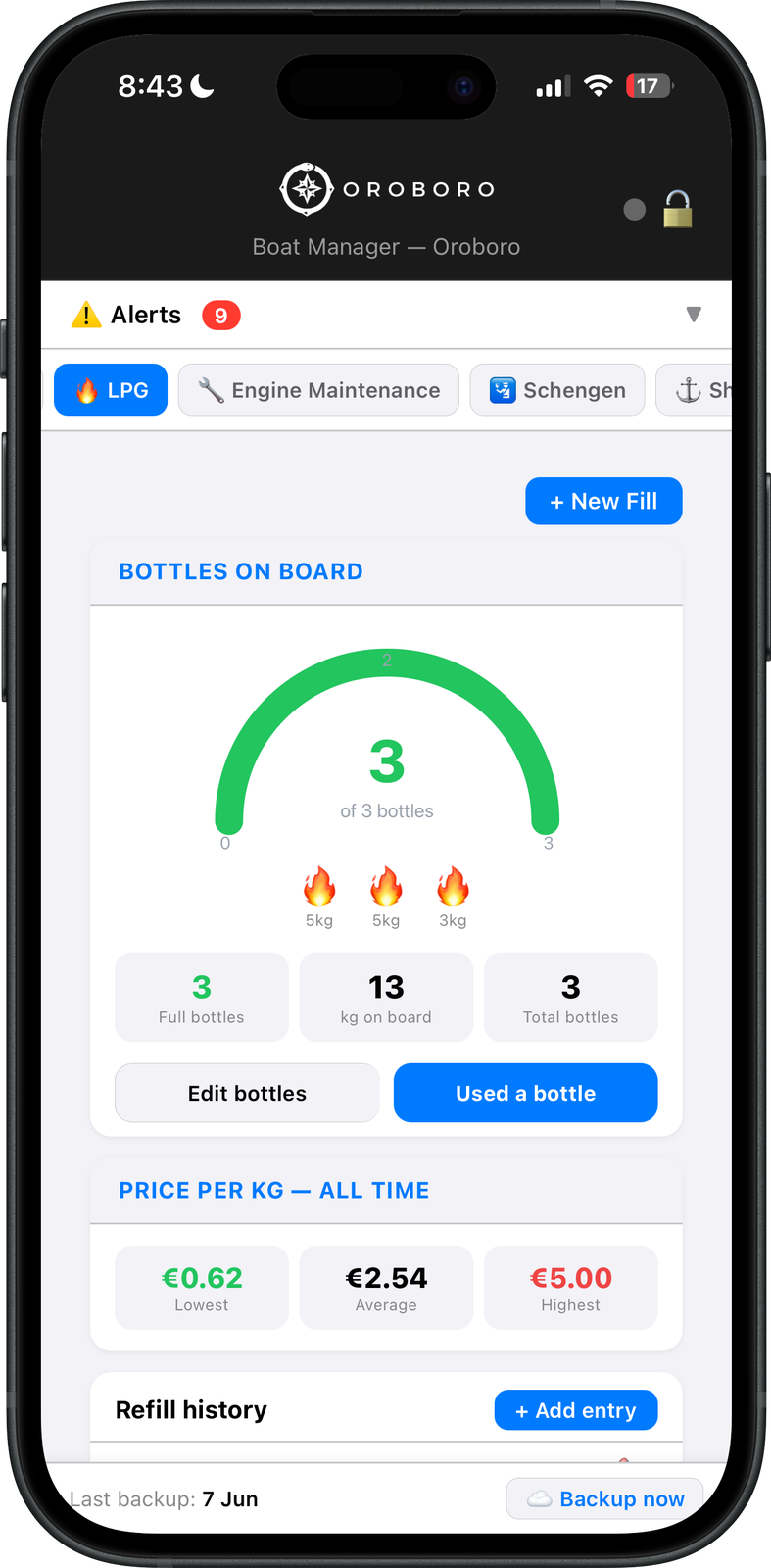
Gas is one of those things that always runs out at the wrong moment. The LPG module tracks every bottle on board — how many, what size, how many kilograms remain — and logs each refill with the price per kilogram paid. Over time it builds a price history across different countries. We've seen anywhere from €0.62 to €5.00 per kilogram depending on the port, so the data is genuinely useful when shopping around.
Watermaker
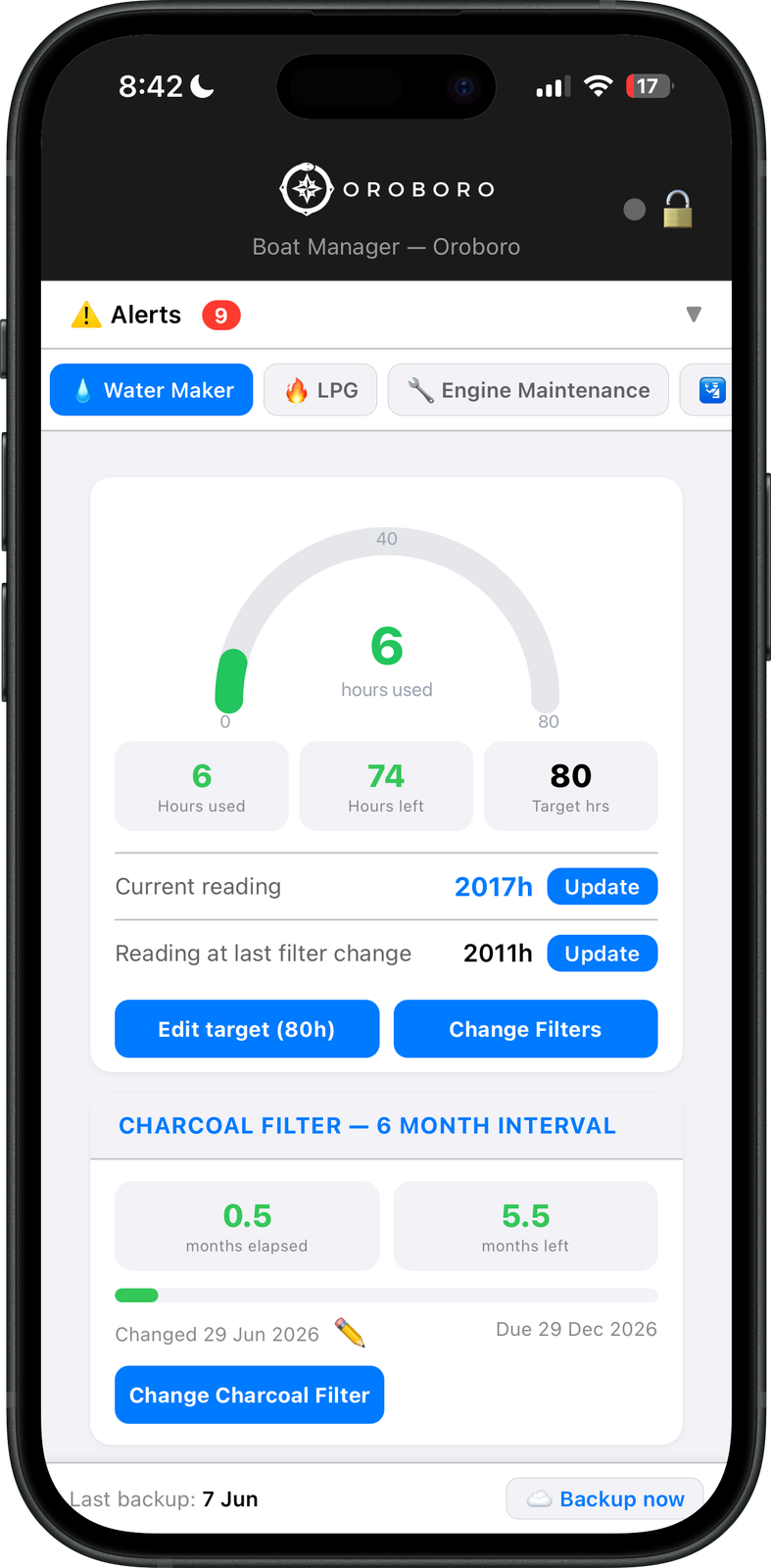
Our watermaker needs its membrane cleaned every 80 hours of runtime and its charcoal pre-filter replaced on a 6-month calendar schedule — two completely different intervals that are easy to mix up. The module tracks them independently: an hour gauge counts down from the last membrane cleaning, and a separate section tracks the charcoal filter against a calendar. When it's time to change filters at sea, the app shows the exact previous reading so you can update it with confidence.
Building It While Hiding From a Storm
I wrote most of the app during a southerly winds gale, which is fitting. There's something about being anchored behind a rock while the wind is blowing 30 knots. The first version was a simple task list. I kept adding things: photo uploads, cloud sync, encrypted storage, a PIN system with a hint for those moments when you can't remember which PIN you used.
The backend runs on Cloudflare Workers, the same infrastructure that hosts our blog. Serverless, cheap, and global. Your data is stored in Cloudflare KV as an encrypted blob. The whole thing costs me almost nothing to run.
Try It
It's free. Open boat.sailingoroboro.com on your phone, set a PIN, and start adding your boat's systems and tasks. You can install it to your home screen for the full app feel. No account required, no ads, no subscription.
If you find it useful, I'd love to hear about it. Drop me a message on Instagram at @sailingoroboro.
Happy sailing — and may your impellers always be fresh.
— Francesco